ITSamples web site presents a unique collection of useful freeware utilities, with technical information and source code that combines a user-friendly interface with broad functionality. All of these utilities are developed by Igor Tolmachev (IT).
Featured Software
 System Utilities
CapsUnlocker
Disk Activity Indicator
HDD Informer
MAC Address Changer
System Files Lister
System Reserved Volume Explorer
TaskBar Hider
Time Synchronizer
Window Minimizer
Windows Service Master
Disk Activity Indicator
HDD Informer
MAC Address Changer
System Files Lister
System Reserved Volume Explorer
TaskBar Hider
Time Synchronizer
Window Minimizer
Windows Service Master
 Network Utilities
 Password Recovery & Security
Dialup Password Recovery
Outlook Express Password Recovery
Password Viewer
RDP Password Recovery
The Bat! Password Recovery
Total Commander Password Recovery
Link Encoder
Outlook Express Password Recovery
Password Viewer
RDP Password Recovery
The Bat! Password Recovery
Total Commander Password Recovery
Link Encoder
 Miscellaneous
Network Activity Indicator
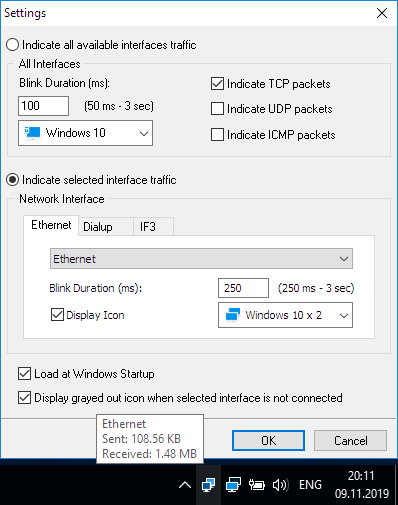
Network Activity Indicator displays the old 'two monitors' icon in Windows 7-10 that flashed blue to show network activity on the System Tray.
Unlike the original Windows XP utility, this program indicates outgoing and incoming network packets on all available interfaces.
Continue reading...
Unlike the original Windows XP utility, this program indicates outgoing and incoming network packets on all available interfaces.
Continue reading...
Disk Activity Indicator
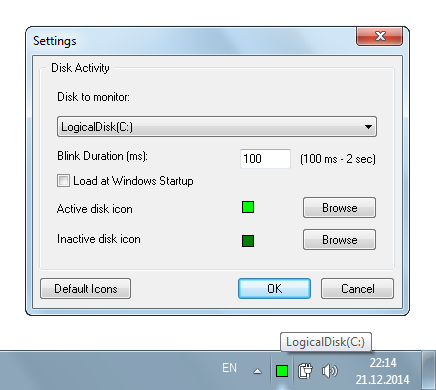
Disk Activity Indicator is a little application that displays a customizable blinking icon on the System Tray whenever selected hard disk or USB media is accessed.
Disk Activity Indicator can be useful if your PC doesn't have an HDD led (laptop/ultrabook) or if you connected to a remote PC using RDP or VNC/RFB applications.
Continue reading...
Disk Activity Indicator can be useful if your PC doesn't have an HDD led (laptop/ultrabook) or if you connected to a remote PC using RDP or VNC/RFB applications.
Continue reading...
Notification Area Cleaner
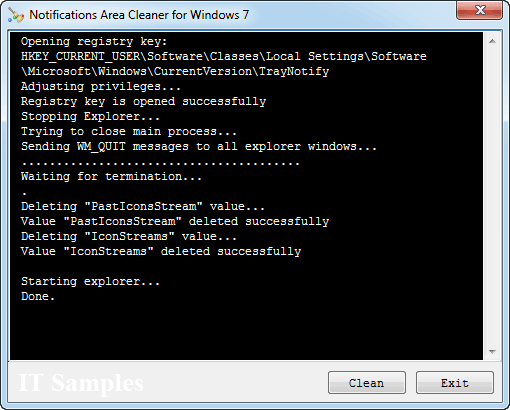
Notification Area Cleaner for Windows 7-10 allows you to remove unused icons for programs that no longer installed on the Notification Area Icons list.
Running this utility will reset all the notification area and keep only icons of active programs.
Continue reading...
Running this utility will reset all the notification area and keep only icons of active programs.
Continue reading...
CapsUnlocker
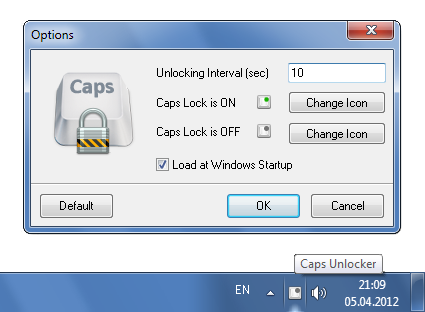
CapsUnlocker allows you to unlock the Caps Lock state after a period of no keyboard activity.
Users often forget to undo Caps Lock after using it, with the result that they later mistakenly type a whole line of text in caps and have to re-type it. CapsUnlocker will help you in such a situation.
Continue reading...
Users often forget to undo Caps Lock after using it, with the result that they later mistakenly type a whole line of text in caps and have to re-type it. CapsUnlocker will help you in such a situation.
Continue reading...
TCP Monitor
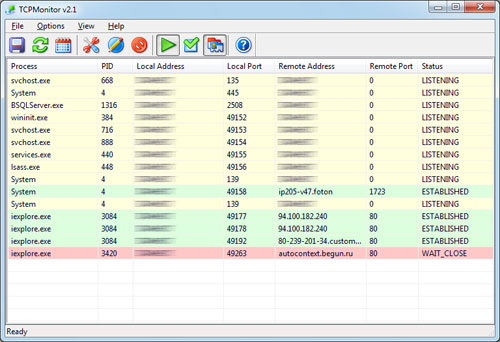
TCP Monitor is a Windows program that will show you detailed listings of all TCP endpoints on your system, including names of remote servers and state of TCP connections.
When you start TCP Monitor, it will enumerate all active TCP endpoints.
Continue reading...
When you start TCP Monitor, it will enumerate all active TCP endpoints.
Continue reading...
Thumbnail Database Viewer
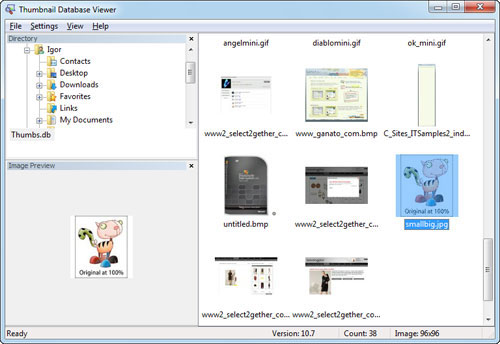
Thumbnail Database Viewer enables you to view thumbnail cache, which is used by Windows to speed up the display of thumbnails in folders (thumbs.db, ehthumbs.db, thumbcache_*.db files).
The cache stores all thumbnails created in a folder even if the original image has been deleted.
Continue reading...
The cache stores all thumbnails created in a folder even if the original image has been deleted.
Continue reading...
 Did you find software that was helpful? Please make a little donation here.